
VK: music, video, messenger
VKLSocial
3.111.31K Reviews
- Version
- 8.180
- Installs
- 100.00M
- Age Rating
- Teen
Screenshots

Our Review of VK: music, video, messenger
 Analysis by Appyee
I use VK: music, video, messenger most effectively when I treat it as a few connected routines rather than expecting one screen to do everything. I can catch up with people, browse communities, and move between media and chats without constantly switching apps. That convenience is the main reason I’d suggest trying it if your friends or interests are already active there. It works less well as a universal replacement for every social or media service: the experience depends on what you want to do and how much of your online life you want gathered in one place.
A practical way to build a daily routine
My simplest workflow is to check messages first, then visit the communities and people I actually follow, and leave music or video for a deliberate break. That order helps keep the app from turning into an endless stream of distractions. If I open it while waiting for a bus, for example, I can answer a friend, skim a community conversation, and then choose a track or video rather than bouncing between unrelated feeds.
For a group plan, I’d start a chat with the people who need to make the decision, keep the details in that conversation, and share relevant media there when it helps. This is more useful than scattering arrangements across separate messages and posts. The trade-off is that an active group can become noisy, so I try to keep one chat focused on one plan and move on once the decision is made.
The app is free to download, but it also offers in-app purchases, so I would check what an optional item costs before confirming anything. I wouldn’t assume that every music or video use works the same way in every situation; the actual experience can depend on the content and the way I access it. If I mainly want a dedicated music service or a focused video app, I’d compare those options directly instead of choosing VK solely because it combines several activities.
Settings and habits that make it easier to live with
When I first settle into a social app, I take a moment to review its available settings and adjust the parts that affect how I use it day to day. In VK, I’d pay particular attention to account visibility, who can contact me, and which notifications deserve an interruption. The exact controls can change between versions, so I look at the current settings on my device rather than relying on instructions written for an older layout.
Notifications are worth treating as a routine, not a one-time decision. If every community or conversation demands attention, the useful messages become harder to spot. I’d keep alerts focused on people and groups I need to hear from, then visit other communities when I choose. That approach preserves the social side without letting every new post dictate when I pick up my phone.
With a current version number of 8.180, the app is maintained as an ongoing product, but I still expect interface details to shift over time. VK is developed by VKL, and its long history as a social network means its mix of chat, communities, and media may feel familiar to people who already use that style of platform. New users may need a little time to decide which parts matter to them and which they can ignore.
Your All-in-One Entertainment Hub
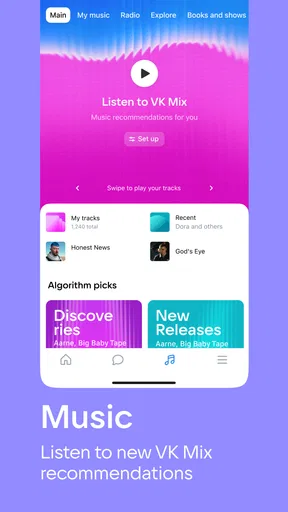
First off, let’s talk about the music. If you're anything like me, music is life, and VK: music, video, messenger doesn't disappoint. The app offers a vast library of tunes that you can stream on the go. From the latest chart-toppers to classic hits, it’s all here. You can create playlists, explore new genres, and even share your favorite tracks with friends. It’s like having a personal DJ in your pocket.
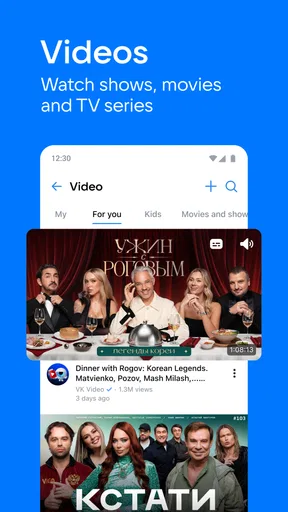
Now, if you’re more into video content, VK has you covered too. The app allows you to watch videos from a wide range of categories. Whether you’re into funny pet videos, trending news, or the latest movie trailers, there’s something for everyone. The video player is smooth, and the quality is top-notch, assuming your internet connection can keep up.
Stay Connected with Messaging
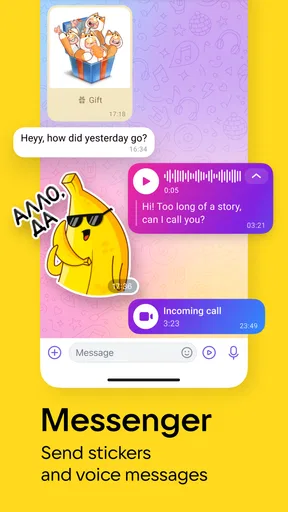
Of course, it wouldn’t be a social app without some messaging features. VK lets you chat with friends seamlessly. The messenger is simple and intuitive, with all the bells and whistles you’d expect like stickers, voice messages, and video calls. It’s like having a conversation with a friend, minus the awkward pauses.
One feature I found particularly handy is the ability to create group chats. Whether you’re planning a party or just catching up with friends, group chats make it easy to keep everyone in the loop. Plus, you can share music and videos right in the chat, which is pretty cool.
Personalized Experience
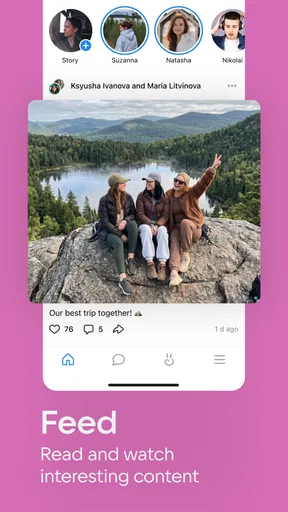
The app's user interface is sleek and easy to navigate. It’s designed to give you a personalized experience, learning your preferences as you use it. Over time, it curates music and video recommendations that are tailored just for you. It’s like having your own personal entertainment assistant.
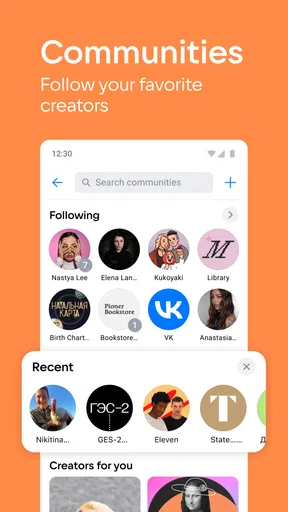
One thing I noticed is how the app integrates social networking features. You can follow your favorite artists, join communities, and even participate in discussions. It’s a great way to stay engaged and discover new content that aligns with your interests.
Choosing VK over separate apps
Compared with using a dedicated messenger alongside separate music and video apps, VK’s strongest argument is convenience: conversations and shared media sit within the same social environment. That can make it easier to send a track into a group conversation or continue a discussion around something you watched. It is not automatically better for every task, though. People who care most about a specialized listening experience may prefer a service built around music, while someone who wants a quiet, narrowly focused chat tool may find a general social network busier than necessary.
That distinction matters when deciding whether to make VK your main app or simply keep it for a particular circle. If friends, artists, or communities you care about are there, the combined setup can save friction. If your contacts are spread across other platforms, installing another messenger may add one more inbox rather than simplify your day. I’d choose based on where meaningful conversations already happen, not on the appeal of having every media type in one app.
Small workflows that prevent needless scrolling
A useful habit is to decide why I’m opening the app before I tap it: reply to a message, check one community, or find something to listen to. When I finish that task, I leave instead of treating the next recommendation as an obligation. This is especially helpful because a social feed can blur the line between catching up and losing time, even when its content is enjoyable.
When I find music I want to return to, I’d save it in a playlist rather than trust myself to remember where it appeared in a feed or conversation. For a video shared by a friend, I’d respond in the chat while the context is fresh; that keeps the conversation attached to the item instead of making everyone search for it later. These habits are simple, but they make the combination of social and media features feel more organized.
For a normal weekday, I might use VK during a lunch break to answer a group chat, check a community discussion, and put on music while I finish a task. If I’m using mobile data or have an unreliable connection, I’d be more selective about watching video, since streaming quality and smooth playback depend on the connection. I would not treat a short break as a promise that every clip will load instantly or that every recommendation will be worth my attention.
Who will get the most from it
I’d recommend VK most readily to someone whose social circle already uses it, or to a person who enjoys following communities and artists alongside keeping up with friends. Its range makes sense when those activities reinforce one another: a post leads to a discussion, a conversation includes a song, and a community introduces you to something new. The app has been around since June 14, 2011, and it has more than 100 million installs, so it is a substantial social platform rather than a niche chat utility.
On the other hand, I’d skip it if I want a minimal messenger with little beyond direct communication, or if I don’t want a social feed competing with focused listening and viewing. Someone who values keeping media and personal conversations in separate places may find that separation clearer with individual apps. VK is also rated for Teen audiences, so families choosing apps for younger users should consider that audience designation and make their own decision about suitability.
Its average rating is 3.1 from around 9.3 million ratings, with roughly 11,000 written reviews. I take that as a reminder to approach it with realistic expectations rather than assuming a large user base means a perfect fit. Ratings can reflect different devices, habits, and expectations; the practical test is whether the people and communities I care about make the app worthwhile for me.
Where the all-in-one approach has limits
Combining social networking, messaging, calls, music, and video makes VK versatile, but breadth can also make it feel like more app than I need for a single task. A dedicated alternative can be a better choice when I want fewer distractions, a specialized media workflow, or a separate place for private conversations. I’d also avoid assuming that every feature is equally important or equally polished for every user; I would spend time with the parts I actually plan to use before making it central to my routine.
It helps to be selective about what I follow and where I participate. Joining communities simply because they are available can make the feed harder to manage, while following a smaller set of genuinely useful interests gives recommendations and discussions a clearer purpose. If a feature or control is not where I expect it, I’d search the current menus rather than rely on old walkthroughs, since app layouts can change.
One question I’d ask before installing is whether my contacts are active there. Another is whether I want a combined social and media space or prefer separate tools. I’d also consider whether optional purchases fit my needs: the listed in-app purchase range is from $0.49 to $124.99 per item, so I’d review the particular purchase screen carefully rather than assume every feature is free. The app itself is free, but that does not mean every optional item has no cost.
Wrapping It Up
In conclusion, if you’re on the lookout for an app that combines music, video, and messaging in one neat package, VK: music, video, messenger is definitely worth checking out. It’s user-friendly, packed with features, and generally a joy to use. Whether you’re a social butterfly or a media aficionado, this app can keep you entertained and connected wherever you go.
I’d say give it a spin and see how it fits into your daily routine. You might just find it becomes one of your go-to apps for staying connected and entertained.
My overall advice is to start with the people and communities you actually want to hear from, tune the interruptions to suit your day, and use the media features when they add something to that social routine. I see VK as a strong fit for someone who wants those pieces together, not as a compulsory replacement for every specialist app. If its mix feels useful after a few ordinary days, it has earned a place on your phone; if it makes your digital life feel busier, choosing a more focused alternative is a perfectly sensible call.
Verdict
Strengths of VK: music, video, messenger
- Rich multimedia content for diverse tastes.
- User-friendly interface for easy navigation.
- Integrated messenger for seamless communication.
- Offline music playback in the premium version.
- Customizable feed based on user preferences.
Limitations of VK: music, video, messenger
- Ads can be intrusive in the free version.
- Limited features for non-premium users.
- Occasional lag in video streaming.
- Privacy concerns with personal data usage.
- Some music unavailable due to regional restrictions.
Other Releases by VKL
View All
OK: Social Network
Social4.3
Similar Picks in This Category
View All
Meta Platforms, Inc.4.6

Instagram4.0

Likee-Live, Chat & Party Games
Likeme Pte. Ltd.4.4

Facebook Lite
Meta Platforms, Inc.4.5

TikTok - Videos, Shop & LIVE
TikTok Pte. Ltd.4.0

Moj: Free Short Drama & Reels
ShareChat4.1
You May Also Like
View All
Frequently Asked Questions
What features does VK: music, video, messenger offer?
VK provides a diverse set of features including messaging, video calls, and a vast library of music and videos. Users can create playlists, join communities, and share content with friends. The app also supports voice messages, photo sharing, and has a customizable news feed to keep you updated on your interests.
Is VK: music, video, messenger free to use?
Yes, VK is free to download and use. However, it may include in-app purchases or subscription options for enhanced features or ad-free experiences. While most features are accessible without payment, some premium content or services might require a subscription, so it's worth reviewing these options if you want the full experience.
How does VK ensure user privacy and security?
VK implements several measures to protect user privacy, including end-to-end encryption for messages and secure login options. Users can customize their privacy settings to control who sees their content and who can contact them. Regular updates are provided to enhance security features and address potential vulnerabilities.
Can I use VK: music, video, messenger on multiple devices?
Yes, VK supports multi-device use, allowing you to access your account from smartphones, tablets, and computers. Your messages, playlists, and settings are synchronized across devices, ensuring a seamless experience. Just ensure you log in with the same account credentials on each device to maintain access to your content.
What are the system requirements for VK on Android and iOS?
VK requires Android version 5.0 or higher and iOS version 11.0 or later. It is compatible with most modern smartphones and tablets. Before downloading, check that your device meets these requirements to ensure optimal performance and access to the latest features the app has to offer.
